Introduction
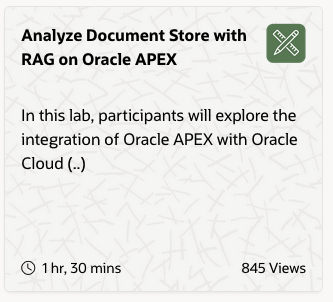
In honor of Joel Kallman I have been playing with one of the Livelabs here https://livelabs.oracle.com. “Analyze Document store with RAG on Oracle APEX”. I love these Livelabs. They give insights, ideas and open my eyes to what is possible with Oracle technology. For a DevOps guy like me it is hard to click around and make things work. I prefer a GitOps style approach where I can document the different steps especially when a LiveLab contains several components like the Database, OCI and APEX. There are so many small steps I will forget if I don’t document it. I want this documentation to be available to me for future projects and labs. So, how can I iteratively develop my skills? Automate and make the Livelab reproducible with code!
The Goal
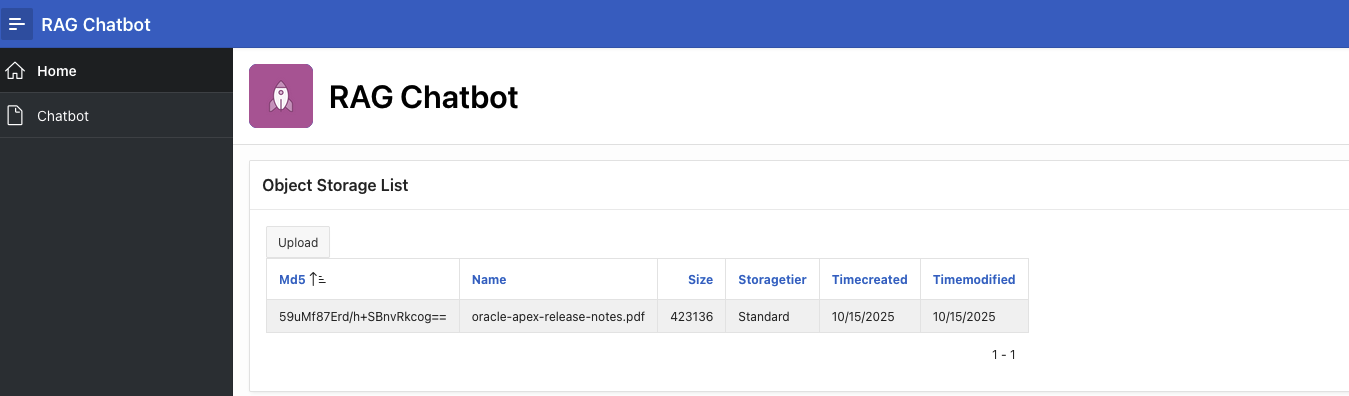
The goal here is to not leave the terminal and install a working APEX application invoking the OCI GenAI agent service:
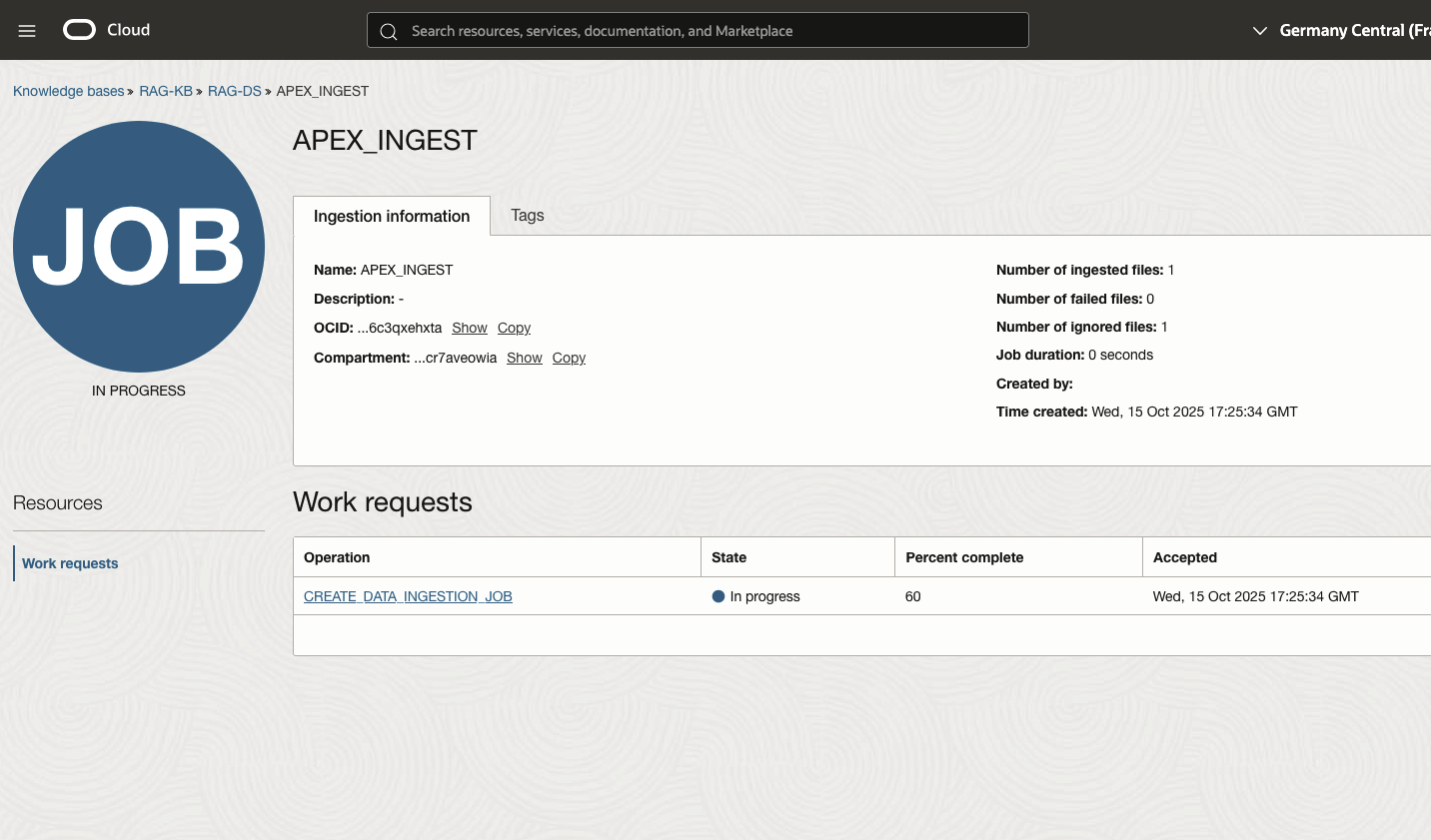
- provision the OCI genai services - (Thank you claude code …)
- create OCI user with correct privileges - (What a learning journey …)
- create APEX workspace - (Seems easy, took me hours. ADB is something else…)
- import APEX application with correct configuration. (So many details, so many iterations …)
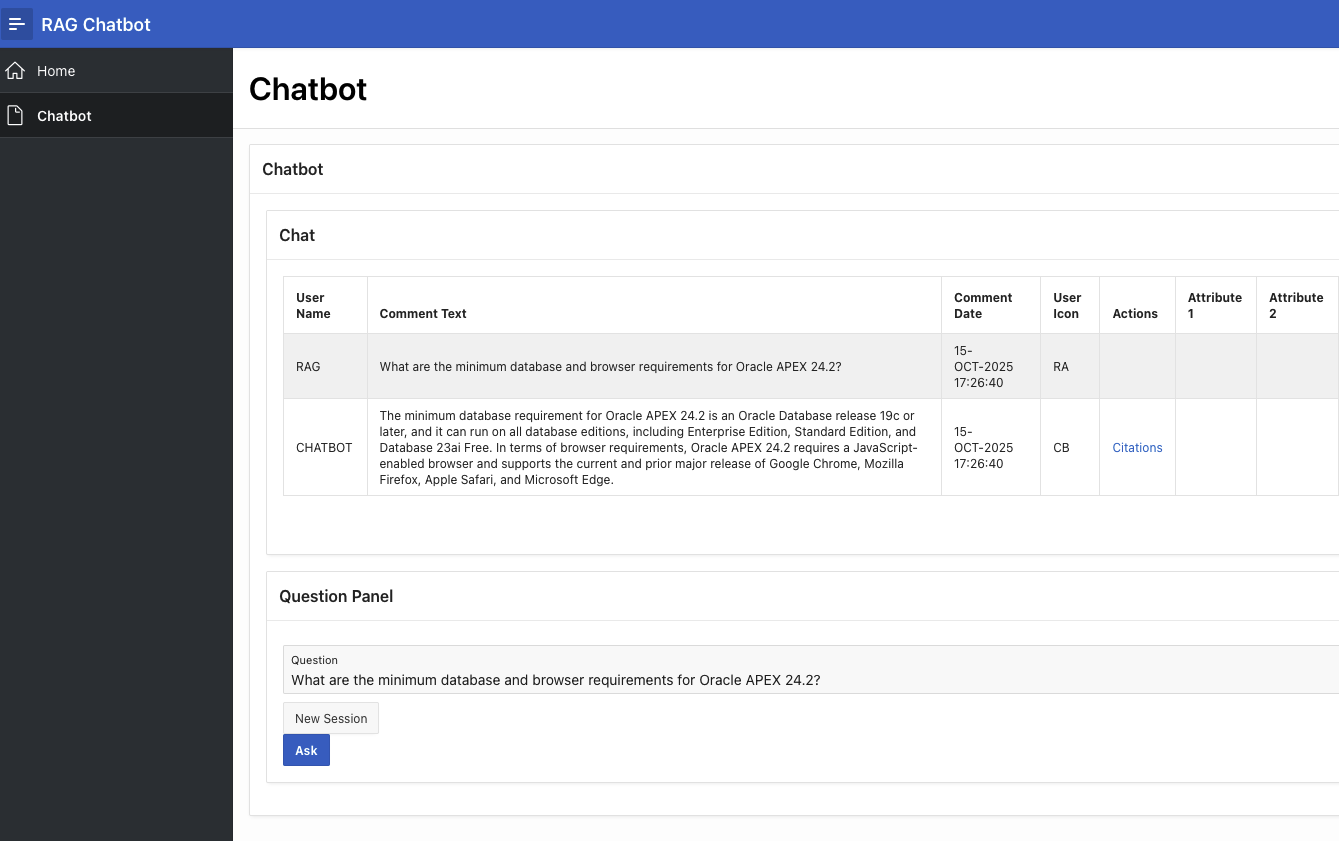
- Run APEX application and utilize the RAG functionality on your files in object storage. (Yes, it works in my OCI tenant)
Let’s start the journey!
Prerequisites
- OCI Tenant (pay-as-you-go) I mostly use Always Free services, but sometimes I explore other services
- oci-cli already configured on my MacOS to call OCI REST endpoints. ‘C’ - compartment-id and ‘T’ - root compartment (tenancy-id) are set
- Always Free ADB already provisioned. I have an oci-cli one-liner for this task
- SQLcl is trimmed and looks awesome using JavaScript. connmgr is configured with named credentials. (Tip: SQLcl is the way forward if you are working with the Oracle Database)
- Other tools: MacOS default ZSH shell - OhMyZsh - NeoVim/LazyVim, Claude Code, Cursor, Windsurf, gemini-cli, CoPilot/VSCode, codex and Ghostty
Section 1. OCI configuration for the LiveLab
Provision AI services, configure auth/authz without leaving the terminal.
Provision OCI GenAI services
pwd
/Users/bjarte.brandt/code/oci/projects
mkdir oci-genai-and-apex
cd <PRESS: ESC+.(dot)> (Trick! retrieve the last argument from previous line. "Yes, the ESC key thereafter the dot key!")
pwd
/Users/bjarte.brandt/code/oci/projects/oci-genai-and-apex
git init
. ./env.sh # all my secrets and variables

printenv | grep -E 'AGENT_|BUCKET_NAME'
BUCKET_NAME=RAG
AGENT_KNOWLEDGE_BASE_NAME=RAG-KB
AGENT_DATA_SOURCE_NAME=RAG-DS
AGENT_NAME=RAG-Agent
AGENT_ENDPOINT_NAME=RAG-Agent-Endpoint
AGENT_TOOL_NAME=RAGLL

# bucket will not be re-created since tons of docs might be added. One-time operation.
oci os bucket create -c $C --name "${BUCKET_NAME}" --versioning "Disabled"

# provision the OCI services. This script is sophisticated and written with help of my new claude-code agent friend. (Extension in VS Code).
./install.sh


=== OCI Generative AI Agent Installation ===
Setting up RAG (Retrieval-Augmented Generation) Agent


=== Environment Validation ===
✅ All environment variables are set
ℹ️  Compartment: ocid1.compartment.oc1..aaaaaaaapqiwlqvcqhaicleggfl43443fmnkzkthiw6x3wgjilcr7aveowia
ℹ️  Knowledge Base: RAG-KB
ℹ️  Data Source: RAG-DS
ℹ️  Agent: RAG-Agent
ℹ️  Endpoint: RAG-Agent-Endpoint
ℹ️  Tool: RAGLL
ℹ️  Bucket: RAG

[Step 1/5] Creating Knowledge Base
ℹ️  Checking if knowledge base 'RAG-KB' already exists...
Query returned empty result, no output to show.
ℹ️  Creating new knowledge base...
⏳ Waiting for knowledge-base 'RAG-KB' to reach ACTIVE state........................................................................................................... ✅ Ready!
✅ Knowledge base created: ocid1.genaiagentknowledgebase.oc1.eu-frankfurt-1.amaaaaaaauiz57qaegyxb4lt24qutxwrs5tuwog5jx52ee5ansgozpcynw6q

[Step 2/5] Creating Data Source
ℹ️  Checking if data source 'RAG-DS' already exists...
Query returned empty result, no output to show.
ℹ️  Creating new data source connected to bucket 'RAG'...
⏳ Waiting for data-source 'RAG-DS' to reach ACTIVE state.. ✅ Ready!
✅ Data source created: ocid1.genaiagentdatasource.oc1.eu-frankfurt-1.amaaaaaaauiz57qaeow3vmvx5goti6wreauywfc5u5k6ihi7ofjchn2cueaq

[Step 3/5] Creating AI Agent
ℹ️  Checking if AI agent 'RAG-Agent' already exists...
Query returned empty result, no output to show.
ℹ️  Creating new AI agent...
⏳ Waiting for agent 'RAG-Agent' to reach ACTIVE state.................................. ✅ Ready!
✅ AI agent created: ocid1.genaiagent.oc1.eu-frankfurt-1.amaaaaaaauiz57qa6gmc5hxoute2fluicdllp4n2jfml22vbrc5a7r247uhq

[Step 4/5] Creating Agent Endpoint
ℹ️  Checking if agent endpoint 'RAG-Agent-Endpoint' already exists...
Query returned empty result, no output to show.
ℹ️  Creating new agent endpoint...
⏳ Waiting for agent-endpoint 'RAG-Agent-Endpoint' to reach ACTIVE state..... ✅ Ready!
✅ Agent endpoint created: ocid1.genaiagentendpoint.oc1.eu-frankfurt-1.amaaaaaaauiz57qa3hqfcueoj366dszdk6wqhlwnfq3t32kipumuwn6owoua

[Step 5/5] Creating RAG Tool
ℹ️  Checking if RAG tool 'RAGLL' already exists...
ℹ️  Creating new RAG tool connected to knowledge base...
⏳ Waiting for tool 'RAGLL' to reach ACTIVE state. ✅ Ready!
✅ RAG tool created: ocid1.genaiagenttool.oc1.eu-frankfurt-1.amaaaaaaauiz57qatxommpaiclok2qqvrmd2k4zrzezxfs5uki3xcdifkqeq

=== Installation Summary ===
🎉 Installation completed successfully!

Resource Summary:
  📦 Total resources: 5
  ✨ Newly created: 5
  ♻️  Already existing: 0

Created Resources:
  🧠 Knowledge Base: RAG-KB
  📚 Data Source: RAG-DS
  🤖 AI Agent: RAG-Agent
  🔗 Agent Endpoint: RAG-Agent-Endpoint
  🔧 RAG Tool: RAGLL

Next Steps:
  1⃣  Test your setup: ./list-resources.sh
  2⃣  View all resources: ./list-resources.sh --all
  3⃣  Quick summary: ./list-resources.sh --summary
✅ Your RAG (Retrieval-Augmented Generation) system is ready to use!

# let's verify
╰─ ./list-resources.sh --summary                                                                                                                                                  ─╯
OCI Generative AI Agent Resources
Compartment: ocid1.compartment.oc1..aaaaaaaapqiwlqvcqhaicleggfl43443fmnkzkthiw6x3wgjilcr7aveowia
Mode: Using environment variable filters

=== Resource Summary ===
Knowledge Bases: 1
Agents: 1
Agent Endpoints: 1
Data Sources: 1
Tools: 1

Summary completed!
Create OCI user
We need to create an OCI user with correct privileges to operate on the GenAI services. We need to install an API key for the APEX REST calls to authenticate. This can be tricky and is not fully covered in the Livelab.
# before OCI api user created, make sure we have correct groups with correct privileges
STORAGE_ADMIN_GROUP_NAME=apex-storage-admin-group
oci iam group create \
  --compartment-id "${T}" \
  --name "${STORAGE_ADMIN_GROUP_NAME}" \
  --description "Group for admin of APEX storage"

STORAGE_ADMIN_POLICY_NAME=apex-storage-admin-policy
oci iam policy create \
  --name "${STORAGE_ADMIN_POLICY_NAME}" \
  --compartment-id "${C}" \
  --description "Policy for the apex-storage-admin-group to manage buckets and objects in compartment" \
  --statements "file://apex-storage-admin-policy.json"

GENAI_ADMIN_GROUP_NAME=apex-genai-admin-group
oci iam group create \
  --compartment-id "${T}" \
  --name "${GENAI_ADMIN_GROUP_NAME}" \
  --description "Group for admin of APEX generative AI"

GENAI_ADMIN_POLICY_NAME=apex-genai-admin-policy
oci iam policy create \
  --name "${GENAI_ADMIN_POLICY_NAME}" \
  --compartment-id "${C}" \
  --description "Policy for the apex-genai-admin-group to start a datasource ingest job" \
  --statements "file://apex-genai-admin-policy.json"

# create OCI api user to be able to access Object Storage and GenAI agent services
# Note. Using ZSH, variable USERNAME cannot ..easily.. be used
USER_NAME="apex-genai-agent-user"
DESCRIPTION="APEX Storage and GenAI Admin User"

USER_OCID=$(oci iam user create --description "${DESCRIPTION}" --name "${USER_NAME}" --query data.id --raw-output)
echo "$USER_OCID"

# User is only allowed to use API keys. No login, nothing. Only store the api key
oci iam user update-user-capabilities \
  --user-id "$USER_OCID" \
  --can-use-api-keys true \
  --can-use-auth-tokens false \
  --can-use-console-password false \
  --can-use-customer-secret-keys false \
  --can-use-db-credentials false \
  --can-use-o-auth2-client-credentials false \
  --can-use-smtp-credentials false

# add user to groups (two of them)
# a policy is a standalone object where group privileges are defined
STORAGE_ADMIN_GROUP_OCID=$(oci iam group list --query "data[?\"name\" == \`$STORAGE_ADMIN_GROUP_NAME\`] | [0].id" --raw-output)
oci iam group add-user --group-id="${STORAGE_ADMIN_GROUP_OCID}" --user-id="${USER_OCID}"
GENAI_ADMIN_GROUP_OCID=$(oci iam group list --query "data[?\"name\" == \`$GENAI_ADMIN_GROUP_NAME\`] | [0].id" --raw-output)
oci iam group add-user --group-id="${GENAI_ADMIN_GROUP_OCID}" --user-id="${USER_OCID}"

# generate key without passphrase
openssl genrsa -out ~/.oci/oci_api_key_${USER_NAME}.pem 2048
chmod go-rwx ~/.oci/oci_api_key_${USER_NAME}.pem
# generate the public key from the private key
openssl rsa -pubout -in ~/.oci/oci_api_key_${USER_NAME}.pem -out ~/.oci/oci_api_key_${USER_NAME}_public.pem

# upload the public api key to user
oci iam user api-key upload --user-id "${USER_OCID}" --key-file ~/.oci/oci_api_key_${USER_NAME}_public.pem

# create the config section for the API user. We don't need it but working with Kubernetes...you will understand.
USER_OCID=$(oci iam user list --query "data[?\"name\" == \`$USER_NAME\`] | [0].id" --raw-output)
OCI_CLI_FINGERPRINT=$(oci iam user api-key list --user-id "${USER_OCID}" --query 'data[] | [0] .fingerprint' --raw-output)
OCI_CLI_TENANCY=$T
OCI_CLI_KEY_FILE=~/.oci/oci_api_key_${USER_NAME}.pem

cat >config <<EOF
[${USER_NAME}]
user=${USER_OCID}
fingerprint=${OCI_CLI_FINGERPRINT}
key_file=${OCI_CLI_KEY_FILE}
tenancy=${OCI_CLI_TENANCY}
region=eu-frankfurt-1
EOF

# fix permissions
oci setup repair-file-permissions --file ./config
Section 2.
Let’s move into APEX land. APEX app needs to communicate with object storage (REST) and genai agent (REST)
Create APEX workspace
It was a nightmare to find out that the creation of an APEX schema wasn’t enough on ADB. We also need a database user ‘RAG’. Configuring SQLcl to make it look nice is for another blog-post. The tool is awesome!
# let's not connect to anything. Just give me the SQLcl shell
╰─ sql -nolog                                                                                                                                                            ─╯

SQLcl: Release 25.3 Production on Wed Oct 15 14:42:19 2025

Copyright (c) 1982, 2025, Oracle.  All rights reserved.

idle>
idle> cm list
.
├── cloud
│   ├── admin@ADB01
│   ├── admin@DEMODB
│   ├── admin[wksp_rag]@ADB01
│   └── select_ai_user@DEMODB
└── local
    ├── admin@MYATP
    └── dev@FREEDB1
idle>
idle> conn -name admin@ADB01
-----==== database 23.0.0.0.0 fcecic394 is on a duty from 20-SEP-25 ====-----
Connected.
ADMIN@MNYYI81SOQCUDNG_ADB01_HIGH🍻🍺 >
ADMIN@MNYYI81SOQCUDNG_ADB01_HIGH🍻🍺 > @pwd
/Users/bjarte.brandt/code/oci/projects/oci-genai-and-apex

ADMIN@MNYYI81SOQCUDNG_ADB01_HIGH🍻🍺 > @create-apex-workspace.sql

PL/SQL procedure successfully completed.

# I have tons of script for everything. 'ls.sql' is my goto to find script
ADMIN@MNYYI81SOQCUDNG_ADB01_HIGH🍻🍺 > @ls worksp
apex_workspace.sql
apex_workspace_credentials.sql
apex_samples_workspace.sql
apex_workspaces.sql
workspace_manager.man

# verify APEX workspace is in place
ADMIN@MNYYI81SOQCUDNG_ADB01_HIGH🍻🍺 > @apex_workspaces.sql

WORKSPACE_ID      WORKSPACE                  SCHEMAS
_________________ __________________________ _______
               10 INTERNAL                         1
14569753375340868 RAG                              1
               11 COM.ORACLE.APEX.REPOSITORY       1
               12 COM.ORACLE.CUST.REPOSITORY       1

4 rows selected.


WORKSPACE_NAME             SCHEMA
__________________________ ___________
COM.ORACLE.APEX.REPOSITORY APEX_240200
COM.ORACLE.CUST.REPOSITORY APEX_240200
INTERNAL                   APEX_240200
RAG                        WKSP_RAG

4 rows selected.


WORKSPACE_NAME USER_NAME
______________ _________
INTERNAL       ADMIN
RAG            RAG

2 rows selected.
Install APEX application
There are two task we would like to perform before we press ‘Run’
- create the web credential. The APEX REST service needs to authenitcate to object storage and genai agent.
- install the APEX application
We make use of a substitution script and the tool ’envsubst’ to make sure all OCI id’s are correctly configured before we run the ‘create-web-credential.sql’ and ‘f100.sql’
cat configure.sh
#!/bin/bash

export USER_NAME="apex-genai-agent-user"
export TENANCY_OCID=$T
export COMPARTMENT_OCID=$C
export BUCKET_URL=$BUCKET_URL_SECRET
export WEB_CREDENTIAL="api_key"

export AGENT_ENDPOINT_OCID=$(oci generative-ai-agent agent-endpoint list --compartment-id $C --all --query "data.items[?contains(\"display-name\", \`${1:-$AGENT_ENDPOINT_NAME}\`) && contains(\"lifecycle-state\", \`ACTIVE\`)]| [0].id" --raw-output)
export AGENT_DATA_SOURCE_OCID=$(oci generative-ai-agent data-source list --compartment-id $C --all --query "data.items[?contains(\"display-name\", \`${1:-$AGENT_DATA_SOURCE_NAME}\`) && contains(\"lifecycle-state\", \`ACTIVE\`)]| [0].id" --raw-output)
export AGENT_URL="https://agent.generativeai.eu-frankfurt-1.oci.oraclecloud.com"
export AGENT_RUNTIME_URL="https://agent-runtime.generativeai.eu-frankfurt-1.oci.oraclecloud.com"
export USER_OCID=$(oci iam user list --query "data[?\"name\" == \`$USER_NAME\`] | [0].id" --raw-output)
export OCI_FINGERPRINT=$(oci iam user api-key list --user-id $(oci iam user list --query "data[?\"name\" == \`$USER_NAME\`] | [0].id" --raw-output) --query 'data[] | [0] .fingerprint' --raw-output)
export PRIVATE_KEY_PEM=$(cat ~/.oci/oci_api_key_apex-genai-agent-user.pem)

# do the substitutions and create output files
envsubst <create-web-credential.template.sql >create-web-credential.sql
envsubst <f100.template.sql >f100.sql
Now create the APEX web credential as admin user.
ADMIN@MNYYI81SOQCUDNG_ADB01_HIGH🍻🍺 > @create-web-credential.sql

PL/SQL procedure successfully completed.

ADMIN@MNYYI81SOQCUDNG_ADB01_HIGH🍻🍺 > @ls credential
apex_workspace_credentials.sql

ADMIN@MNYYI81SOQCUDNG_ADB01_HIGH🍻🍺 > @apex_workspace_credentials.sql

WORKSPACE NAME    STATIC_ID CREDENTIAL_TYPE
_________ _______ _________ ___________________________
RAG       api_key api_key   Oracle Cloud Infrastructure

1 row selected.
Next, install the APEX application. Note. I am connected as APEX schema ‘WKSP_RAG’ using the super nice ‘grant connect through admin’ construct. I have created a named credential ‘admin[wksp_rag]@ADB01’ for this purpose.
idle> conn -name admin[wksp_rag]@ADB01
---------==== database fcecic394 ====---------
Connected.
WKSP_RAG@MNYYI81SOQCUDNG_ADB01_MEDIUM🙊😎 > @ls sec_group
apex_get_sec_group_id.sql
apex_set_sec_group_id.sql

WKSP_RAG@MNYYI81SOQCUDNG_ADB01_MEDIUM🙊😎 > @apex_set_sec_group_id.sql

PL/SQL procedure successfully completed.

WKSP_RAG@MNYYI81SOQCUDNG_ADB01_MEDIUM🙊😎 > @f100.sql
--application/set_environment
API Last Extended:20241130
Your Current Version:20241130
This import is compatible with version: 20241130
COMPATIBLE (You should be able to run this import without issues.)
ID offset during import: 0
New ID offset for application: 0

APPLICATION 100 - RAG Chatbot
--application/delete_application
--application/create_application
--application/user_interfaces
--workspace/credentials/oci_bucket_storage
--workspace/remote_servers/frqb9mzrsgvs_objectstorage_eu_frankfurt_1_oci_customer_oci_com_n_frqb9mzrsgvs_b_rag_o
--application/shared_components/data_profiles/object_storage
--application/shared_components/web_sources/object_storage
--application/shared_components/navigation/lists/navigation_menu
--application/shared_components/navigation/lists/navigation_bar
--application/shared_components/navigation/listentry
--application/shared_components/files/icons_app_icon_32_png
--application/shared_components/files/icons_app_icon_144_rounded_png
--application/shared_components/files/icons_app_icon_192_png
--application/shared_components/files/icons_app_icon_256_rounded_png
--application/shared_components/files/icons_app_icon_512_png
--application/plugin_settings
--application/shared_components/security/authorizations/administration_rights                                                                                       18:38:10 [2/1261]
--application/shared_components/navigation/navigation_bar
--application/shared_components/logic/application_settings
--application/shared_components/navigation/tabs/standard
--application/shared_components/navigation/tabs/parent
--application/pages/page_groups
--application/comments
--application/shared_components/navigation/breadcrumbs/breadcrumb
--application/shared_components/navigation/breadcrumbentry
--application/shared_components/user_interface/templates/popuplov
--application/shared_components/user_interface/themes
--application/shared_components/user_interface/theme_style
--application/shared_components/user_interface/theme_files
--application/shared_components/user_interface/template_opt_groups
--application/shared_components/user_interface/template_options
--application/shared_components/globalization/language
--application/shared_components/globalization/translations
--application/shared_components/logic/build_options
--application/shared_components/globalization/messages
--application/shared_components/globalization/dyntranslations
--application/shared_components/security/authentications/oracle_apex_accounts
--application/user_interfaces/combined_files
--application/pages/page_00000
--application/pages/page_00001
--application/pages/page_00002
--application/pages/page_00003
--application/pages/page_09999
--application/deployment/definition
--application/deployment/checks
--application/deployment/buildoptions
--application/end_environment
... elapsed: 12.37 sec

...done
WKSP_RAG@MNYYI81SOQCUDNG_ADB01_MEDIUM🙊😎 >
Viola!
Fire up APEX in your browser.
WORKSPACE: RAG
USERNAME: RAG
PASSWORD: <password>
open $(oci db autonomous-database get --autonomous-database-id="${1:-$DB_OCID}" --query 'data."connection-urls"."apex-url"' --raw-output)
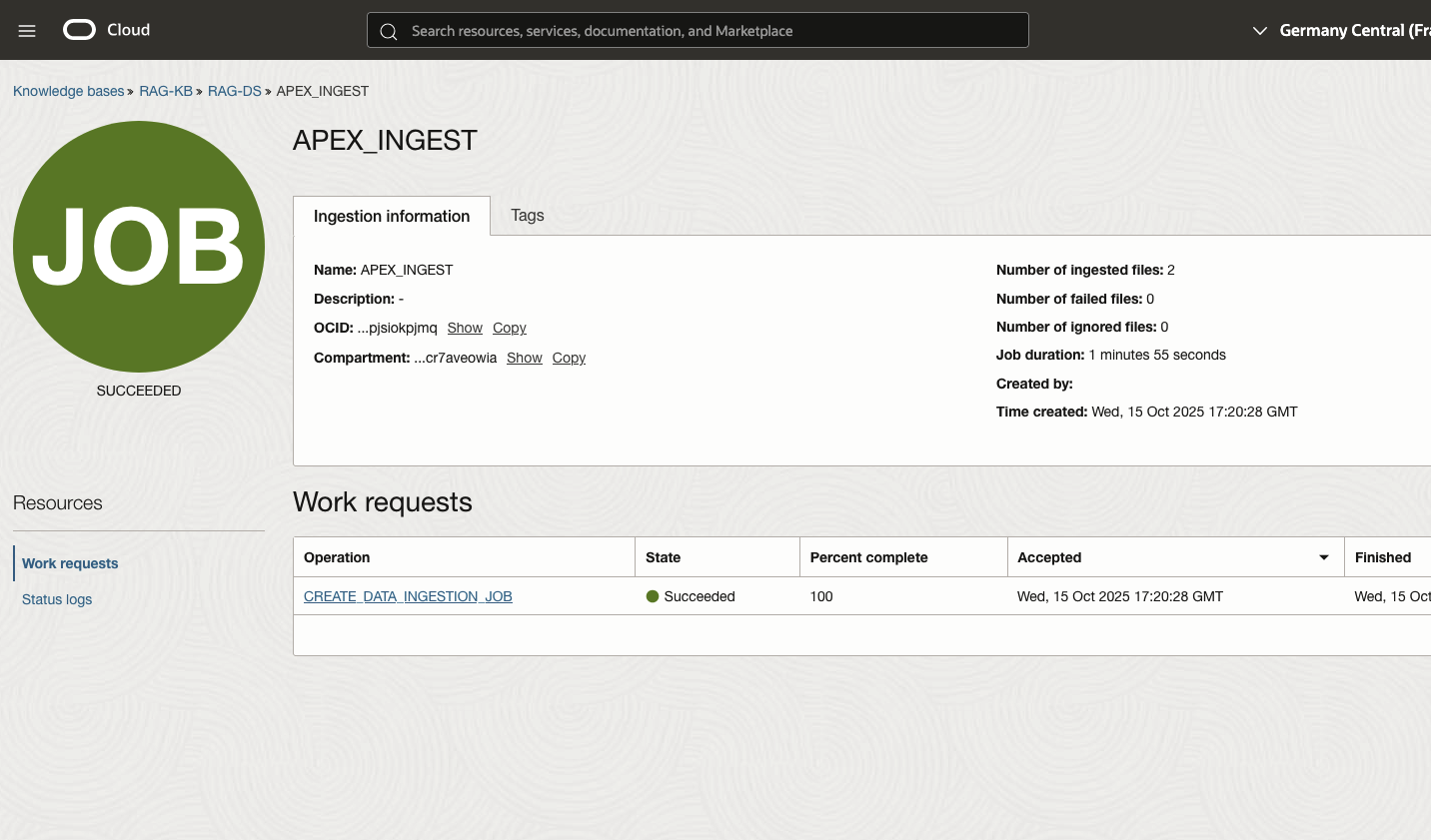
What have I learned?
I have learned to solve one problem at a time. GenAI services, APEX workspace, web credential, SQLcl. When all these different pieces come together things start to work. In my LiveLab learning journey I can break out for weeks and months due to other tasks. When I am ready to continue where I left off, git can give me the status. I can at any time tear down all components and start new. - Reproducible - Idempotent - The DevOps Way!